shadcn-ui/ui codebase analysis: Tasks example explained.
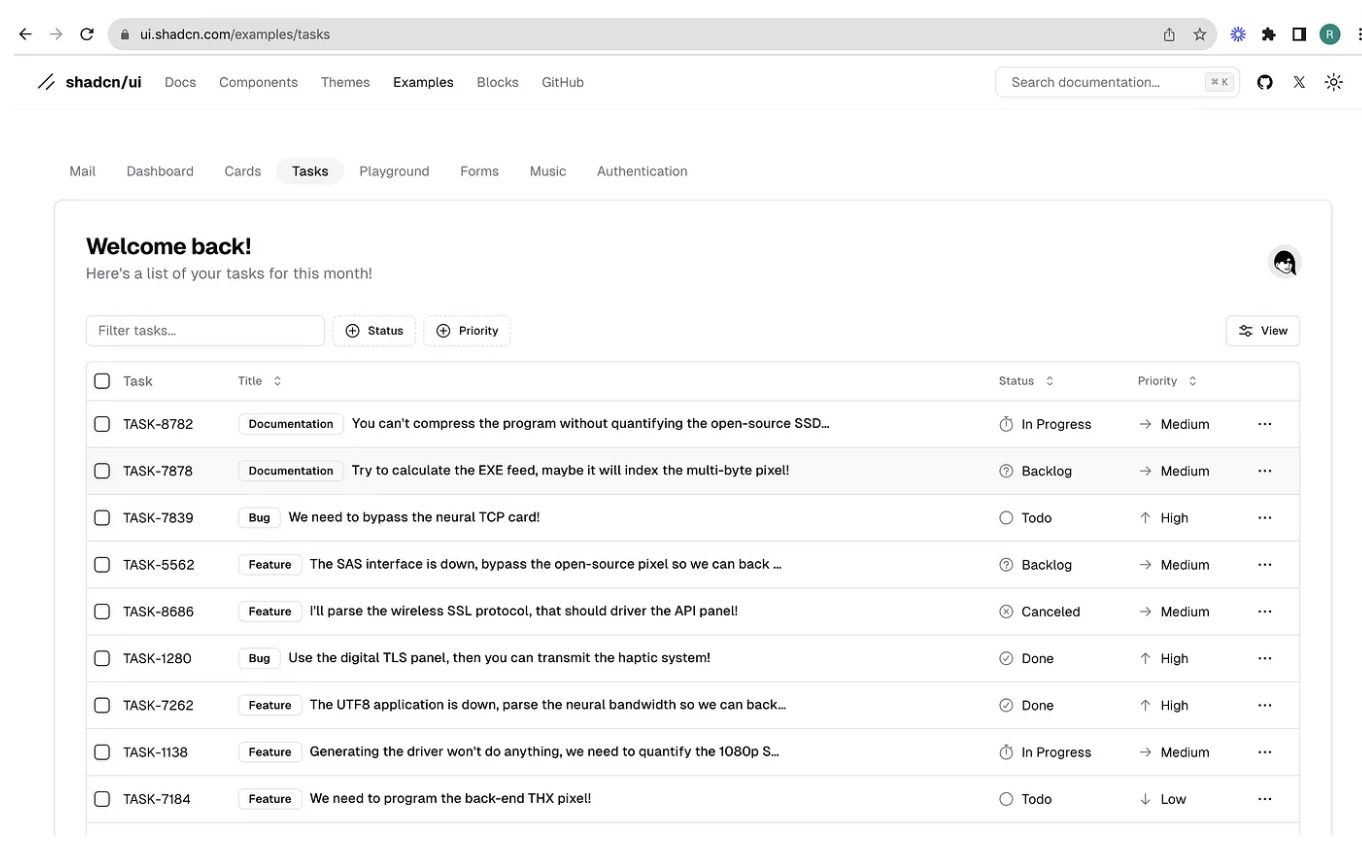
In this article, we will learn about Tasks example in shadcn-ui/ui. This article consists of the following sections:

Where is tasks folder located?
What is in tasks folder?
Components used in tasks example.
Where is tasks folder located?
Shadcn-ui/ui uses app router and tasks folder is located in examples folder, which is located in (app), a route group in Next.js.

What is in tasks folder?
As you can see from the above image, we have components folder, data, page.tsx.
page.tsx is loaded in place of {children} in examples/layout.tsx.
Below is the code picked from tasks/page.tsx
import { promises as fs } from "fs"
import path from "path"
import { Metadata } from "next"
import Image from "next/image"
import { z } from "zod"
import { columns } from "./components/columns"
import { DataTable } from "./components/data-table"
import { UserNav } from "./components/user-nav"
import { taskSchema } from "./data/schema"
export const metadata: Metadata = {
title: "Tasks",
description: "A task and issue tracker build using Tanstack Table.",
}
// Simulate a database read for tasks.
async function getTasks() {
const data = await fs.readFile(
path.join(process.cwd(), "app/(app)/examples/tasks/data/tasks.json")
)
const tasks = JSON.parse(data.toString())
return z.array(taskSchema).parse(tasks)
}
export default async function TaskPage() {
const tasks = await getTasks()
return (
<>
<div className="md:hidden">
<Image
src="/examples/tasks-light.png"
width={1280}
height={998}
alt="Playground"
className="block dark:hidden"
/>
<Image
src="/examples/tasks-dark.png"
width={1280}
height={998}
alt="Playground"
className="hidden dark:block"
/>
</div>
<div className="hidden h-full flex-1 flex-col space-y-8 p-8 md:flex">
<div className="flex items-center justify-between space-y-2">
<div>
<h2 className="text-2xl font-bold tracking-tight">Welcome back!</h2>
<p className="text-muted-foreground">
Here's a list of your tasks for this month!
</p>
</div>
<div className="flex items-center space-x-2">
<UserNav />
</div>
</div>
<DataTable data={tasks} columns={columns} />
</div>
</>
)
}
Components used in tasks example.
To find out the components used in this cards example, we can simply look at the imports used at the top of page.
import { columns } from "./components/columns"
import { DataTable } from "./components/data-table"
import { UserNav } from "./components/user-nav"
import { taskSchema } from "./data/schema"
Do not forget the modular components inside cards folder.

Want to learn how to build shadcn-ui/ui from scratch? Check out build-from-scratch and give it a star if you like it. Sovle challenges to build shadcn-ui/ui from scratch. If you are stuck or need help? solution is available.
About me:
Hey, my name is Ramu Narasinga. I study large open-source projects and create content about their codebase architecture and best practices, sharing it through articles, videos.
I am open to work on interesting projects. Send me an email at ramu.narasinga@gmail.com
My Github — https://github.com/ramu-narasinga
My website — https://ramunarasinga.com
My Youtube channel — https://www.youtube.com/@thinkthroo
Learning platform — https://thinkthroo.com
Codebase Architecture — https://app.thinkthroo.com/architecture
Best practices — https://app.thinkthroo.com/best-practices
Production-grade projects — https://app.thinkthroo.com/production-grade-projects